Chains and networks
The Chains & Networks tab lets you enable and disable blockchain networks for your project without writing any code. Changes take effect immediately for all SDK integrations that use this project.
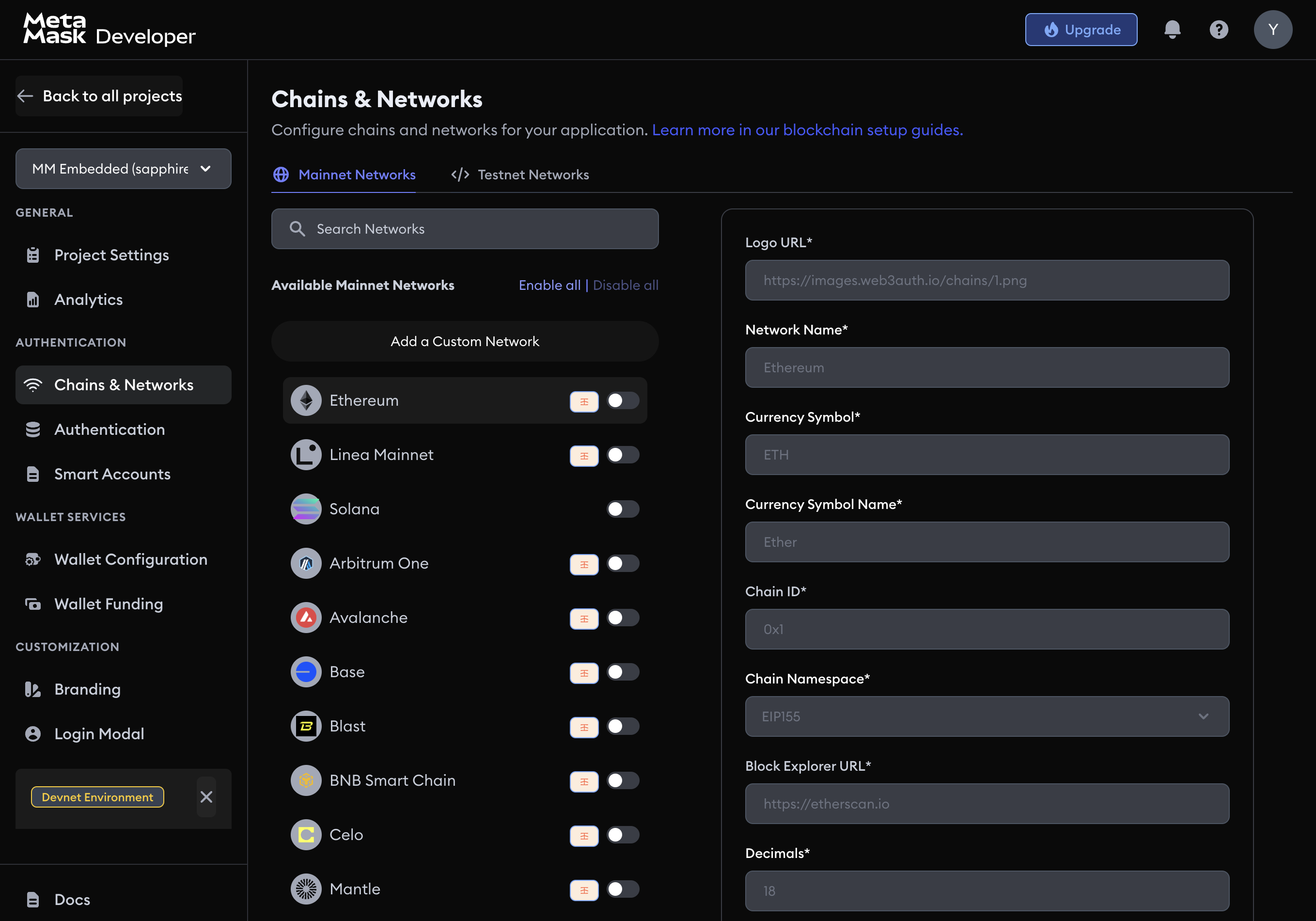
Supported networks
The dashboard includes pre-configured support for major networks including:
- Ethereum (Mainnet and Sepolia testnet)
- Arbitrum (One and Sepolia testnet)
- Avalanche (C-Chain and Fuji testnet)
- Base (Mainnet and Sepolia testnet)
- Polygon (Mainnet and Amoy testnet)
- Optimism (Mainnet and Sepolia testnet)
- BNB Smart Chain (Mainnet and testnet)
Toggle any network on or off from the list.
Add a custom network
To add a network that is not in the pre-configured list, click Add a Custom Network and fill in the following fields:
| Field | Description |
|---|---|
| Logo URL | An image URL for the network's logo |
| Network name | A display name for the network |
| Currency symbol | The native token symbol (for example, ETH, MATIC) |
| Chain ID | The unique numeric identifier for the network |
| Block explorer URL | The base URL for the network's block explorer |
| RPC URL | The RPC endpoint for interacting with the network |
Click Save Network to apply. See Add custom chains for how to configure custom chains in SDK code as well.