Add custom chains
You can add any EVM-compatible chain to your project through the dashboard or by passing chain configuration directly to the SDK during initialization.
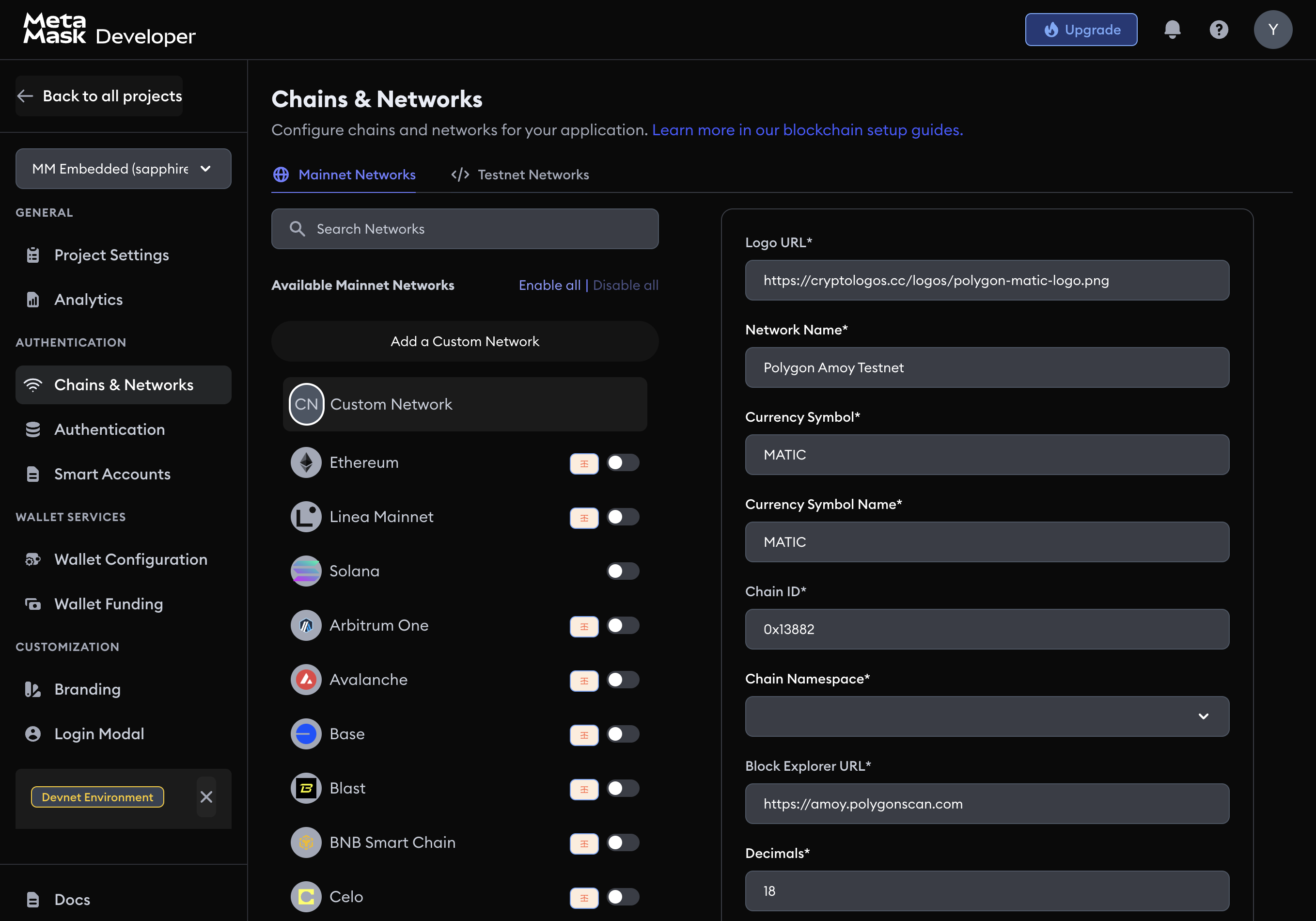
Add a custom chain in the dashboard
- Go to the MetaMask Developer Dashboard.
- Select your project, then click the Chains & Networks tab.
- Click Add a Custom Network.
- Fill in the chain details: Logo URL, Network Name, Currency Symbol, Chain ID, Block Explorer URL, and RPC URL.
- Click Save Network.
Add chains in code (Web SDK)
You can also override or extend chain configuration in code using the chains parameter at SDK initialization. Only chains listed in the chains array will be available in the SDK.
App.tsx
import { Web3Auth, WEB3AUTH_NETWORK, CHAIN_NAMESPACES } from '@web3auth/modal'

const evmChainConfig = {
  chainNamespace: CHAIN_NAMESPACES.EIP155,
  chainId: '0xaa36a7', // Sepolia in hex
  rpcTarget: 'https://1rpc.io/sepolia',
  displayName: 'Ethereum Sepolia Testnet',
  blockExplorerUrl: 'https://sepolia.etherscan.io',
  ticker: 'ETH',
  tickerName: 'Ethereum',
  decimals: 18,
  logo: 'https://cryptologos.cc/logos/ethereum-eth-logo.png',
}

const arbitrumChainConfig = {
  chainNamespace: CHAIN_NAMESPACES.EIP155,
  chainId: '0x66eee', // Arbitrum Sepolia (421614 in hex)
  rpcTarget: 'https://sepolia-rollup.arbitrum.io/rpc',
  displayName: 'Arbitrum Sepolia Testnet',
  blockExplorerUrl: 'https://sepolia.arbiscan.io/',
  ticker: 'AETH',
  tickerName: 'AETH',
  decimals: 18,
  logo: 'https://arbitrum.foundation/images/logo.png',
}

const web3auth = new Web3Auth({
  clientId: '<YOUR_CLIENT_ID>',
  web3AuthNetwork: WEB3AUTH_NETWORK.SAPPHIRE_MAINNET,
  chains: [evmChainConfig, arbitrumChainConfig],
  defaultChainId: '0x66eee', // which chain to use by default
})
note
SDK package names and code identifiers (@web3auth/modal, Web3Auth, WEB3AUTH_NETWORK) are unchanged from the original Web3Auth SDK.